Our Cognishine platform is now accessible at app.cognishine.com. This site now serves as our information portal.
Write what you need in your own words. The AI Activity Creator asks a few clinical questions, then builds a playable activity you can preview, adjust and save to your boards.
Describe the activity in your own words: goal, client profile, language and interests. Start from scratch or from an existing template.
When something is missing, the AI Activity Creator asks — for example, which therapeutic goal to target.
Play the activity in desktop, tablet or phone view. Ask for changes in the chat, or restart with a new prompt.
Save it to Your Activities, add it to a client board, then use it in session or send it for Self-Practice.
The AI Activity Creator builds from your prompt and your answers. Before you start, you confirm that you won't enter personal client information and that you'll review generated content before using it with clients.
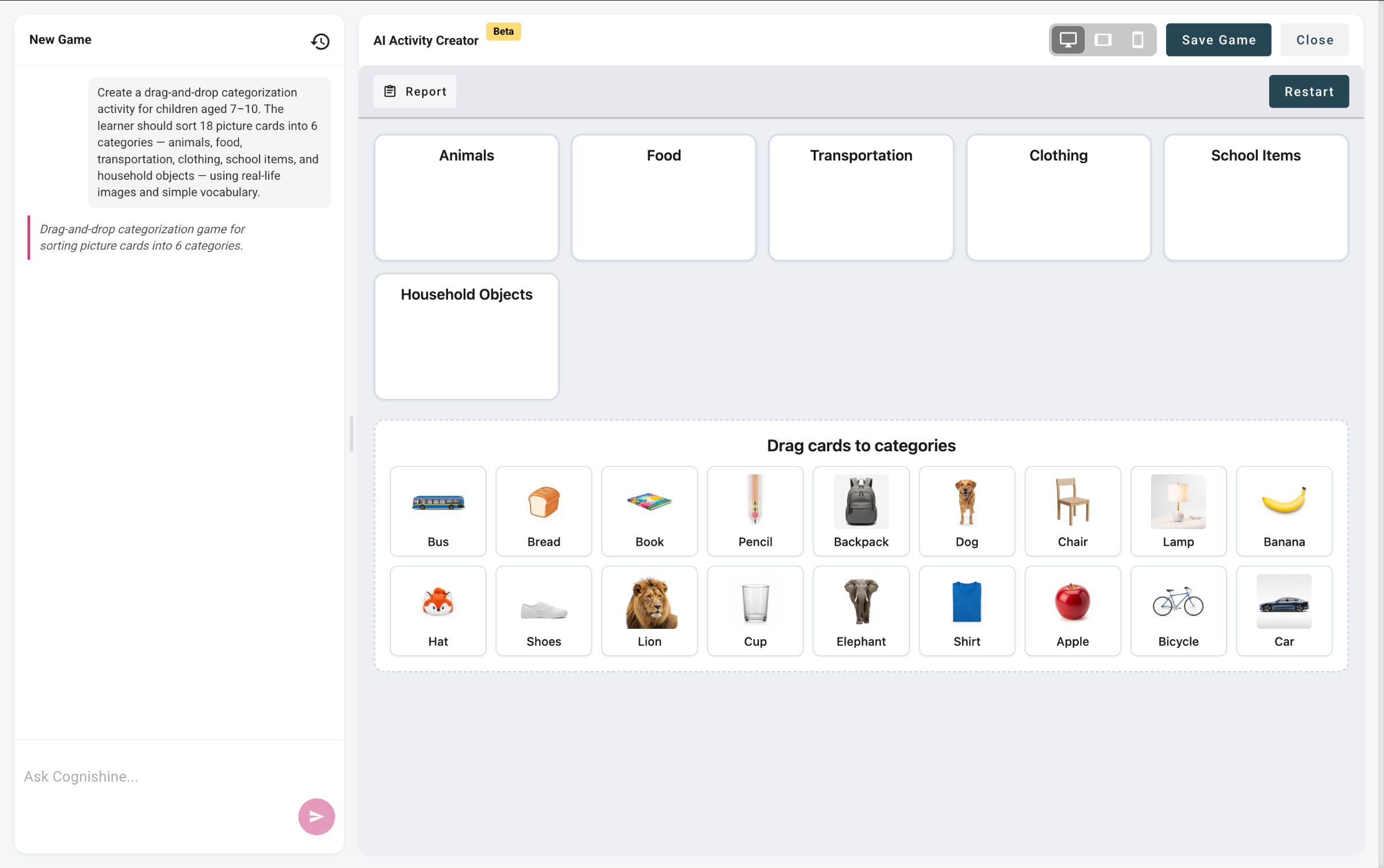 AI Activity Creator — generated game preview
Start from a prompt. The AI builds a complete, playable activity for you to preview and save.
Create and edit word-based activities yourself, item by item, for articulation and speech targets.
Describe a clinical goal and let the AI Activity Creator do the drafting — you stay in control of every activity before it reaches a client.
A tool inside Cognishine that turns a written prompt into a playable therapy activity. It asks clinical questions when it needs more detail, and you preview the result before saving it.
Speech and language therapists, occupational therapists, psychologists, special educators and rehab teams working on cognition, language, speech or social communication.
The AI Activity Creator builds a whole activity from your prompt. In Word Studio you create and edit word-based activities yourself, item by item.
Yes. Clinical Settings let you choose the design style, animation style, feedback and visual display before you create.
Write the language you need in your prompt. You can also ask for an activity in more than one language.
